Structured notes
Capture room, element and section notes in a consistent inspection structure.
The SurvSync® mobile app helps residential surveyors capture structured inspection notes, photos, voice notes and floorplan details on site, then sync that work into the wider SurvSync surveying software platform for reports, CRM, Datum, Vault and document workflows.
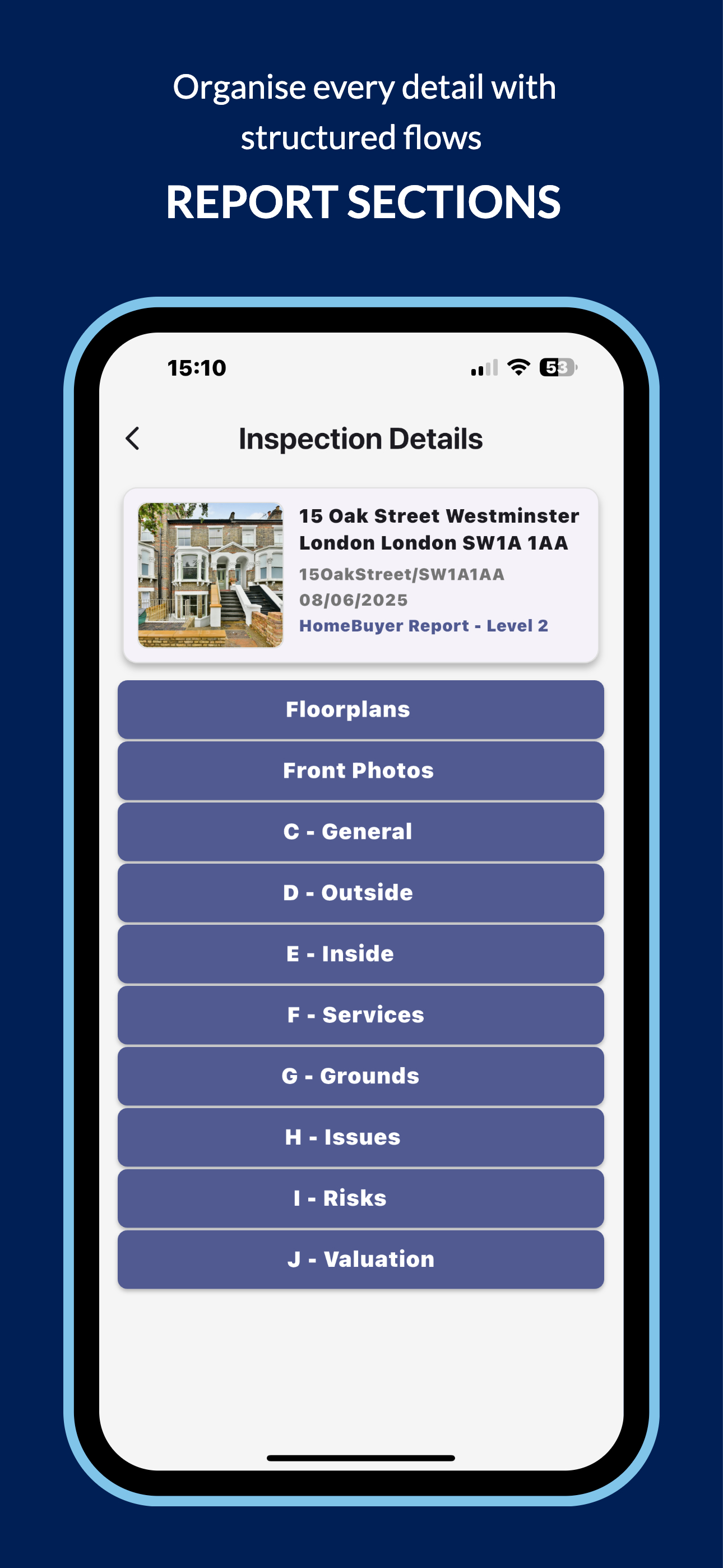
The app is focused on inspection evidence capture: getting reliable property inspection information into SurvSync while the details are fresh.
Capture room, element and section notes in a consistent inspection structure.
Add inspection photos and visual evidence directly into the relevant report areas.
Record observations on site and keep spoken notes connected to the inspection record.
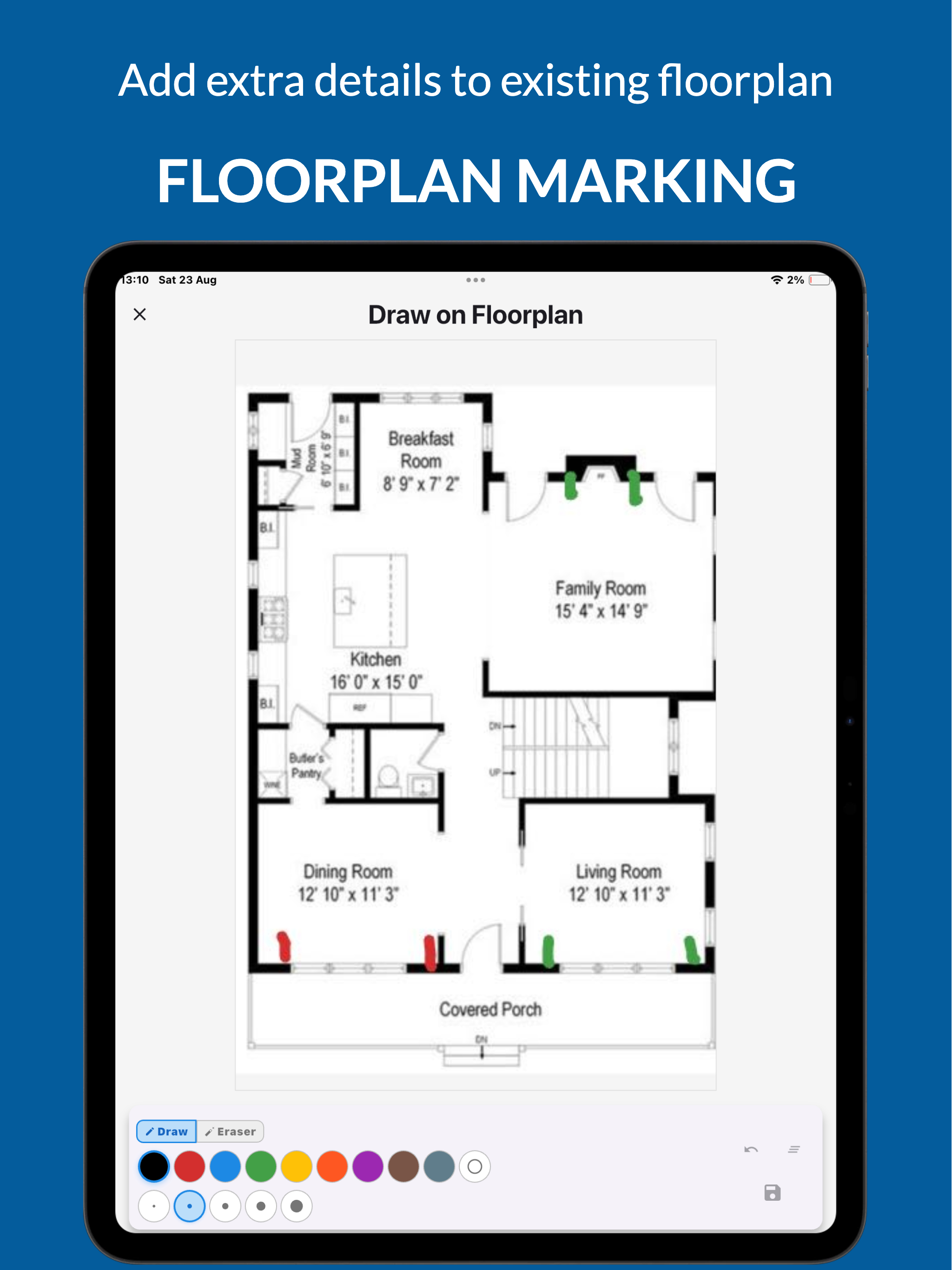
Capture and mark up floorplan information where it supports the inspection workflow.
Mobile capture feeds the platform rather than sitting in isolation. The information collected on site can support report building, client records, document workflows and secure storage.
Start from the CRM or create a lightweight instruction from mobile, then complete details later.
Collect notes, photos, voice notes and floorplan details during the site visit.
Use the captured data in reports, Desktop Research, CRM, Datum and Vault workflows.
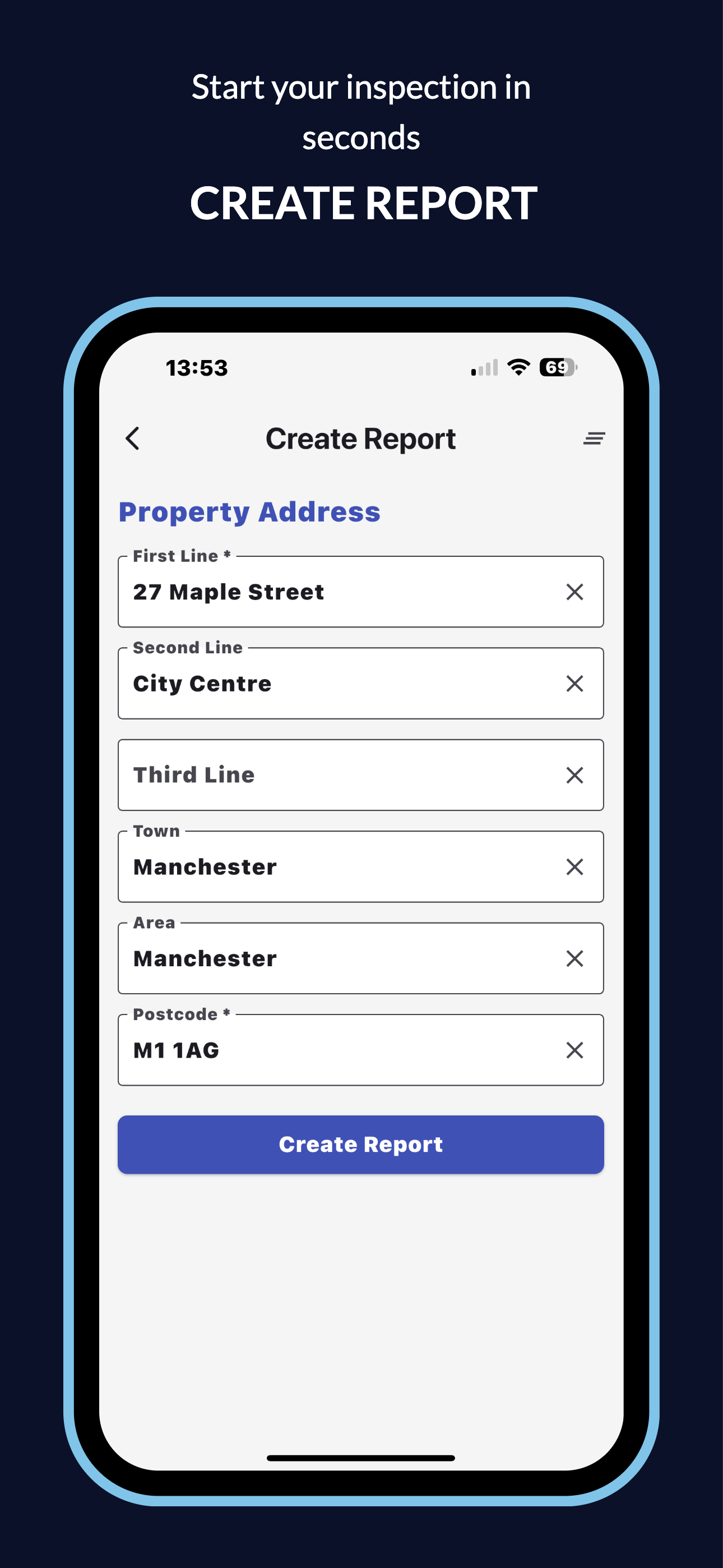
Keep active mobile inspection records organised and ready for site work.
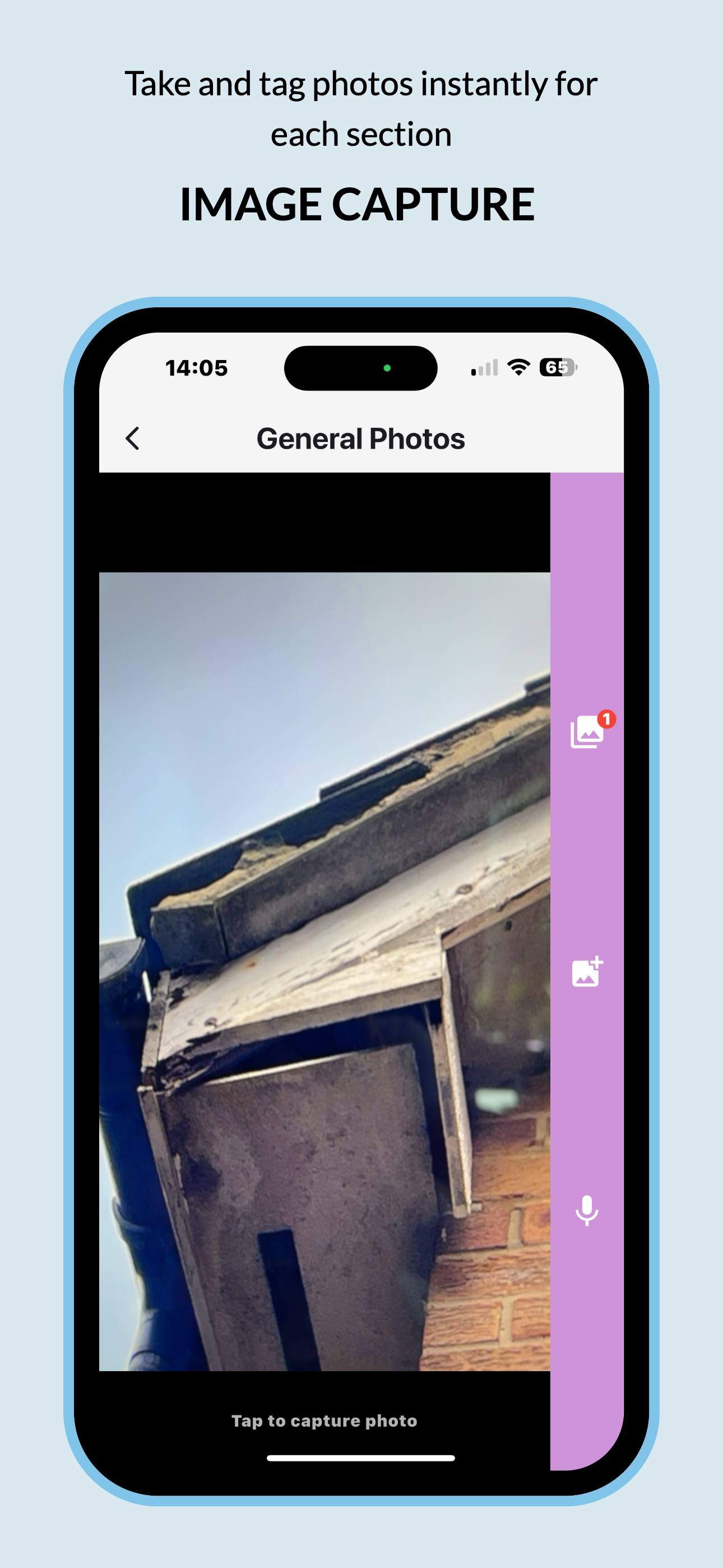
Capture visual evidence and keep it connected to the relevant inspection section.
Use a larger inspection workspace where an iPad is more practical on site.
The mobile app is available for iOS and Android and is used with active SurvSync platform access.