Datum Client Portal
Datum is a dedicated client area powered by SurvSync, but it operates separately from the main SurvSync platform.
A separate client space connected to SurvSync
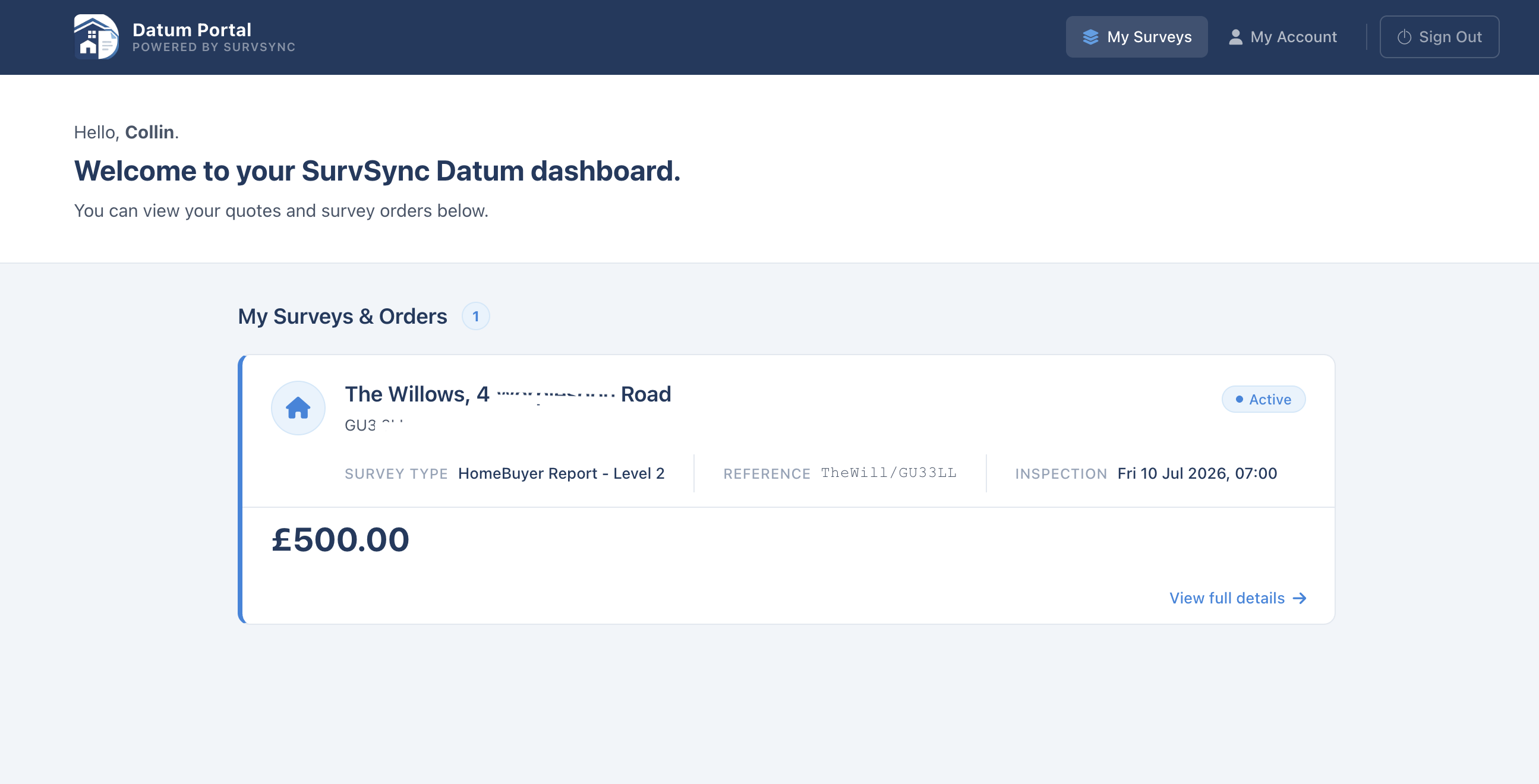
The surveyor does not really work inside Datum. Instead, the surveyor manages everything from SurvSync and invites the client to use their own secure Datum space.
This means the surveyor stays inside the normal SurvSync workflow, while the client has a separate area where they can see the information and documents that the surveyor chooses to make available.
Client Documents
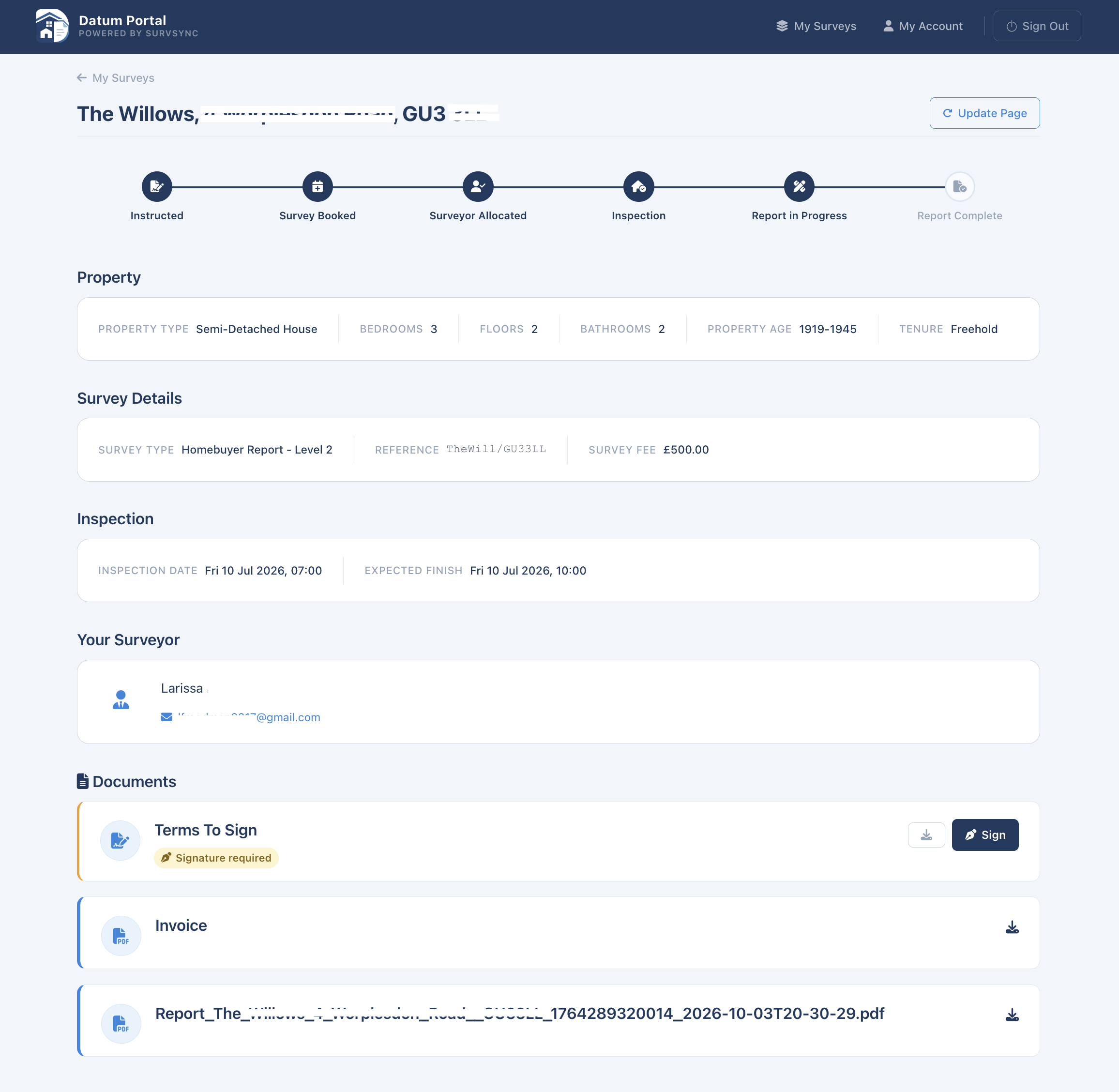
The surveyor can send documents from SurvSync directly into the client’s Datum area.
The client can then view and download these documents.
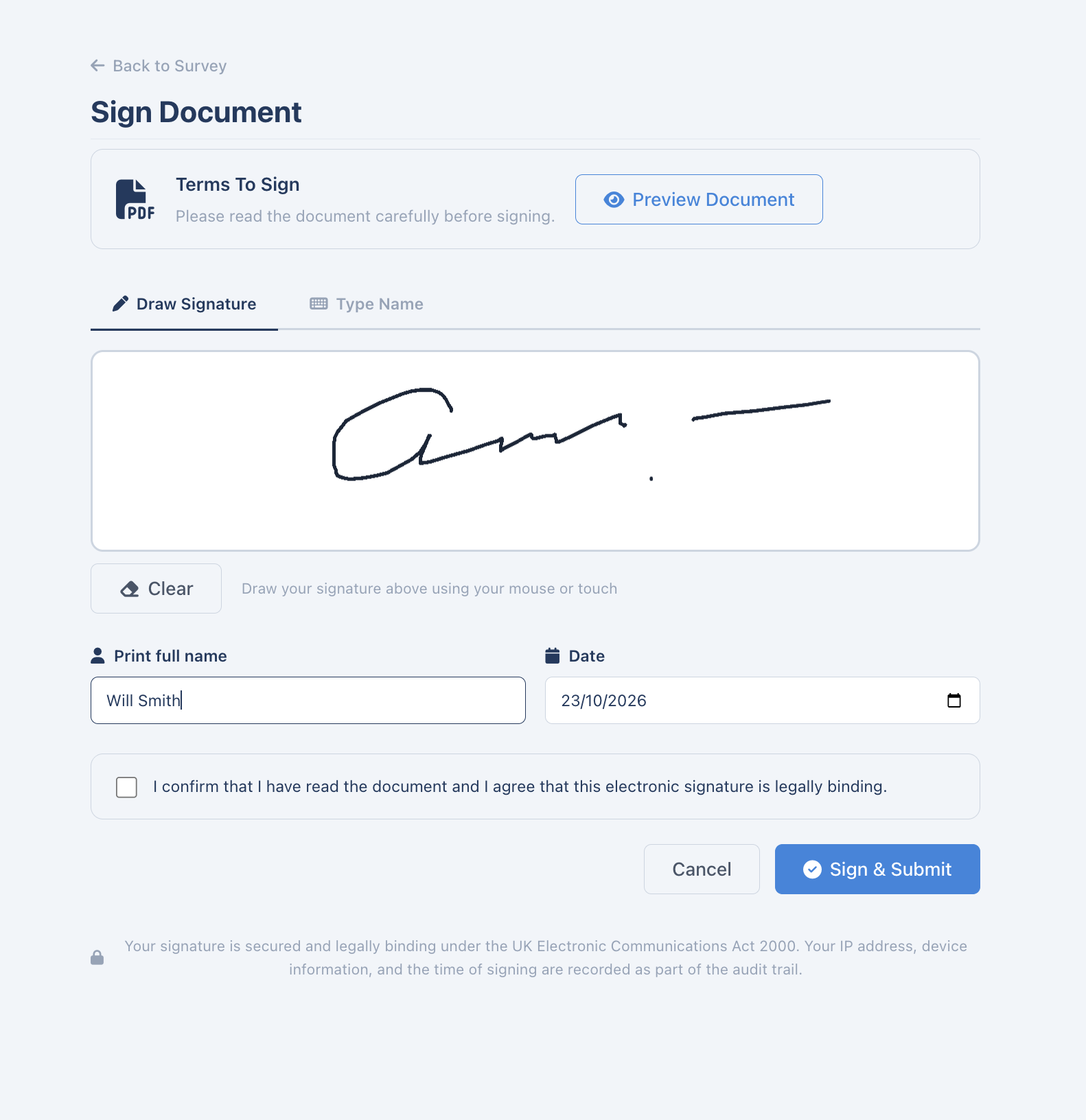
If a document requires a signature, for example Terms & Conditions, the client can sign it electronically inside Datum.
Datum will manage the signing process and return the signed document back into the relevant client Documents area in SurvSync.
This means the surveyor does not need to download, rename and upload the signed document manually.
Client Payments
Datum is also responsible for the client-facing payment process.
It communicates with Stripe and handles payments requested through SurvSync.
There are two main ways the surveyor can request payment.
The first option is through the full Datum Client Portal. The surveyor invites the client to create a secure account and can then place documents, payment requests and other client information into their Datum area.
The client can log in, view the instruction, access documents, sign documents and make payments from the same place.
The second option is to create a secure payment link.
The surveyor can send this link to the client by email. In this case, the client does not need to create or log in to a Datum account and can simply follow the link to make the payment through Stripe.
Both options allow the surveyor to remain inside SurvSync while Datum takes care of the client-facing payment process.
Connected Back to SurvSync
Datum and SurvSync remain connected throughout the process.
When the client signs a document, makes a payment or completes another relevant action, that information is passed back to SurvSync and linked to the correct client and instruction.
This allows the surveyor to manage the client relationship from SurvSync without needing to work inside the client portal itself.
Report Progress and Milestones
When a client is using Datum, they can also follow the progress of their instruction.
The portal can show key stages such as:
- inspection booked
- inspection completed
- report started
- report progress
- report completed
As the report is being written, the client can see the percentage progress towards completion.
This creates a simple milestone view of the instruction and gives the client visibility without needing to contact the surveyor for regular updates.
The progress information is driven by the activity inside SurvSync, so the surveyor continues working in the normal SurvSync workflow while Datum presents the relevant progress to the client.
Related SurvSync features
See SurvSync in action
Book a demonstration of the platform.